
Obsidian Pipeline
A personal AI infrastructure that receives audio from iPhone, transcribes it locally on Raspberry Pi, and turns it into connected Markdown notes for Obsidian.
Context
I keep a personal knowledge base in Obsidian and often catch thoughts away from the desk: while moving, after workouts, chess games, dreams, and observations. An idea can live for only a few seconds; if capturing it requires opening a laptop, choosing a folder, and formatting a note, some thoughts disappear.
The task was not to type faster. It was to remove the friction between a thought and its appearance in the knowledge base.
General Problem
Voice notes are convenient for capture, but raw transcripts are poor knowledge‑base material: repetitions, slips, weak structure, and no links. Obsidian becomes valuable through headings, summaries, tags, links, and a clear buffer for human review.
Solution
I decided to build the processing around a personal Node.js server: the phone sends an audio file, the server transcribes it locally, runs AI processing, and saves the result to Obsidian. Renting external infrastructure felt unnecessary, and the Mac was not a good fit because it would need to stay on all the time. So I chose Raspberry Pi 5: a small home server that quietly runs in the background.
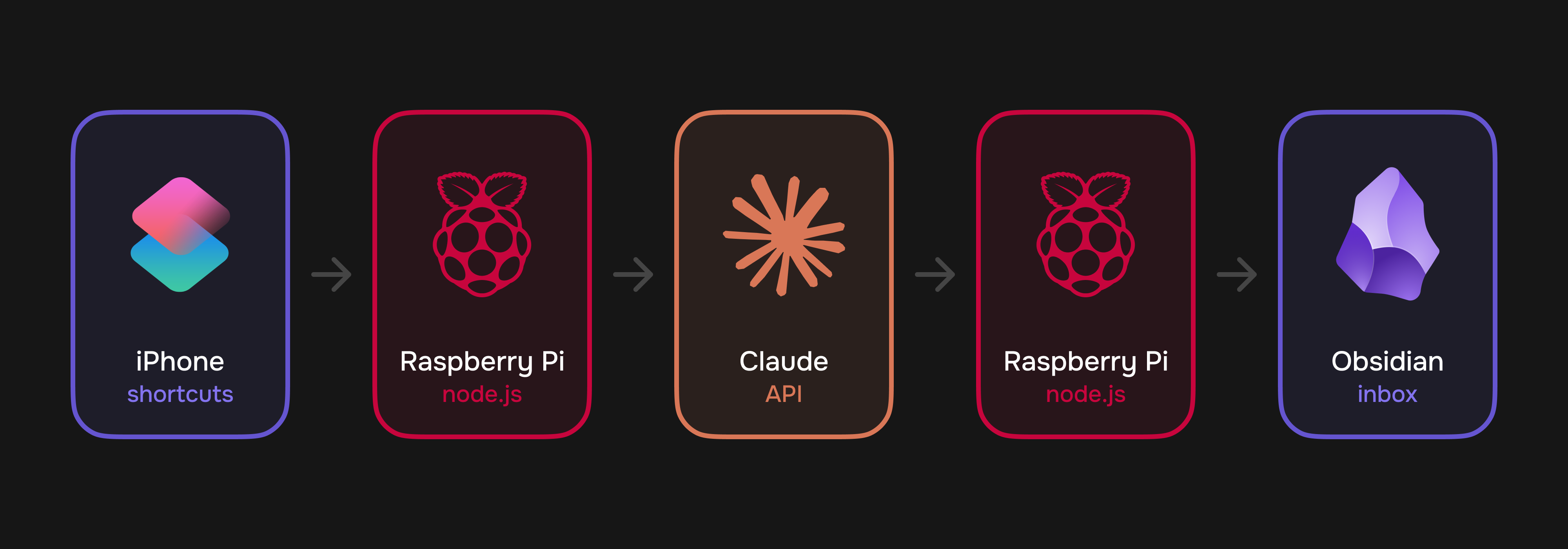
The current flow is audio‑first: iOS Shortcuts records voice, keeps a local backup in Files, and sends a multipart request to /voice. The Fastify server on Raspberry Pi saves the upload, immediately replies to the phone, then converts audio with ffmpeg, transcribes it with whisper.cpp, classifies the note, and passes the text to Claude in the background.
Process and Obstacles
The first working scenario was simple: an iPhone shortcut, speech recognition inside Shortcuts, sending text to Raspberry Pi, and creating a Markdown file. But recording limits, transcription errors, and request timeouts quickly showed that the phone should be the capture point, not the processing layer.
The main network obstacle appeared after choosing Raspberry Pi: the home connection has no public IP. I added Tailscale, a private network built on WireGuard that connects devices as if they were on the same local network. The phone, Mac, and Raspberry Pi get secure direct access without port forwarding or an external server.
After moving to audio, a new engineering decision appeared: the iPhone should not wait for Raspberry Pi to finish Whisper and Claude. So the server returns accepted right after saving the file, while heavy processing runs in a background queue. If transcription fails, the original audio is saved to _raw; if AI processing fails, the raw text is saved instead.
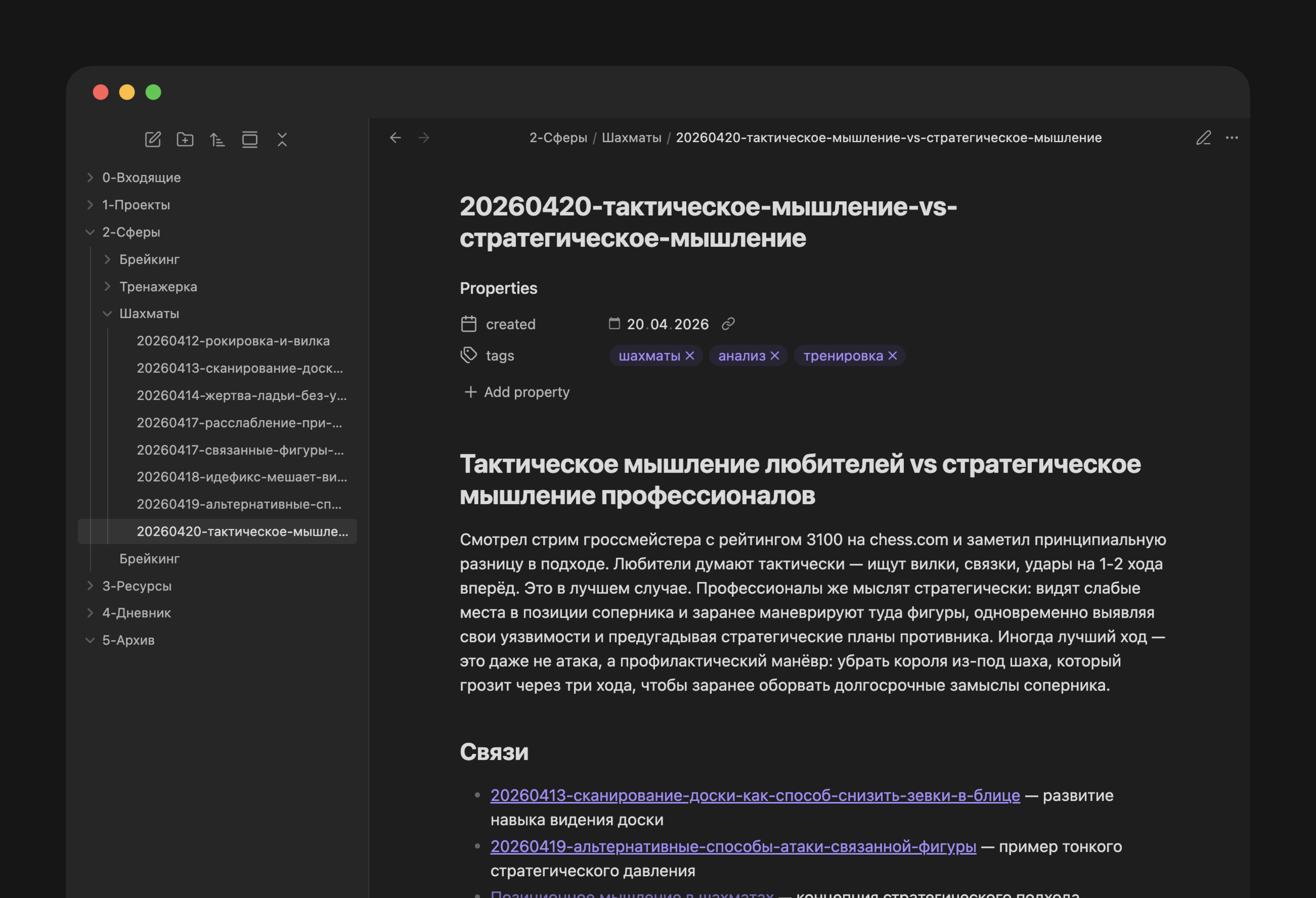
The organizational boundary stayed the same: AI should not decide the final vault structure on its own. It only routes new notes into categorized Inbox folders, while I manually choose the permanent location after reviewing meaning and links.
AI as a Memory Layer
Claude is used not as a generator of isolated text, but as a layer on top of the existing base. Before processing, the system gives it the locally produced transcript, tag list, and relevant older notes from the index. This makes AI work inside my vocabulary instead of inventing a structure from scratch.
Before note generation, a separate Claude call works as a router: it chooses one of six categories and passes it into a category‑specific prompt. For links, the server selects up to 10 relevant older notes from the index using simple TF‑IDF, and new tags are added only when existing ones do not fit.
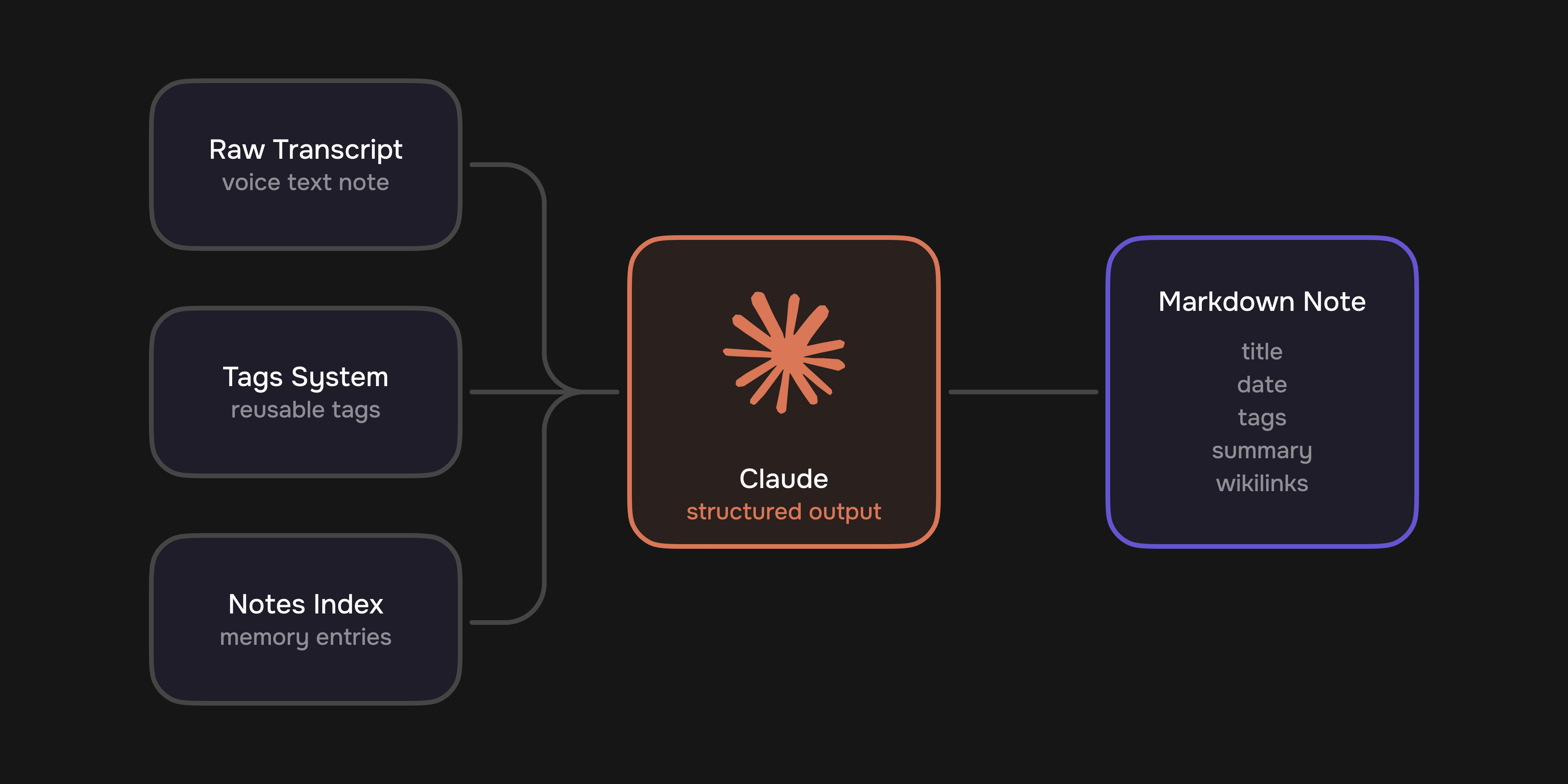
Key shift: from generating scattered notes to gradually growing connected personal memory.
Knowledge Structure
The Obsidian vault is based on PARA: projects, areas, resources, journal, and archive. The voice flow does not place notes into this structure immediately; it speeds up capture and first‑pass processing while leaving the final decision to the human.
- Health — symptoms, recovery, medication, supplements, and medically relevant details without diagnosis.
- Tasks — concrete actions, reminders, and decisions to do something.
- Dreams — dream plots, images, and emotions without pseudo‑interpretation.
- Journal, insights, and analysis — different modes of personal reflection: an event record, a short realization, or a structured breakdown.
This is especially important for personal notes. Automation helps avoid losing the thought, but it does not take control over how that thought becomes part of the system.
Development and State
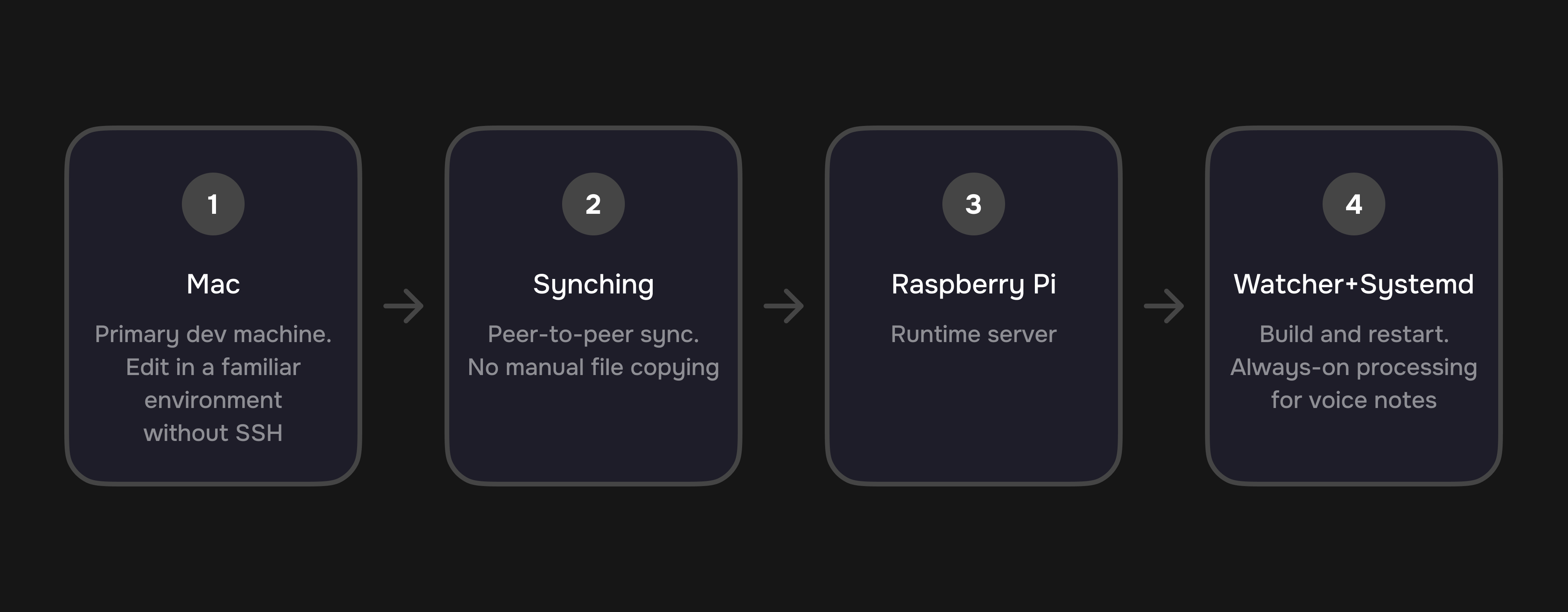
Developing directly on Raspberry Pi over SSH was uncomfortable. I kept runtime on Raspberry Pi and synchronized the source code with the Mac through Syncthing. This lets me write code in a familiar environment while the server receives changes, builds TypeScript, and restarts the service.
The runtime consists of a Fastify server, multipart /voice endpoint, local audio conversion, whisper.cpp, Claude SDK, notes index, tag system, and a systemd watcher service. One important detail for a small server: audio is processed sequentially so multiple heavy transcriptions do not overload Raspberry Pi.
Current State
Today this is a working personal production prototype: it receives audio from iPhone, transcribes it locally on Raspberry Pi, saves a raw transcript for quality review, classifies the note, creates Markdown through Claude, puts the result into the right Inbox folder, and updates the notes index and tag list.
Next
Now that capture is scalable, the next question is no longer “how do I record a thought quickly?” but “how do I use the accumulated knowledge with maximum benefit?” The system can add to Obsidian with almost no friction, but the value appears only when notes return into active use: helping me see recurring themes, make decisions, notice progress, and retrieve the right context at the right moment.
One possible next layer is a personal dashboard on top of Obsidian: a map of topics, trends across health, training, tasks, and insights, recommendations for old notes worth revisiting, and signals about areas of the vault that are accumulating without action. Ideally, the pipeline should become not only an input for memory, but also an interface for applying it.
Takeaway
This case is not about a script; it is about a personal product system: fast voice capture, home server, local transcription, AI structuring, Obsidian Inbox, and human review. The design value is removing friction without taking control of the knowledge base away from the human.