
Sberinvestor
A full redesign of trading order flows in an investment app: new order form structure, expanded order types, order book entry, auctions, statuses, and exchange‑specific scenarios.
Context
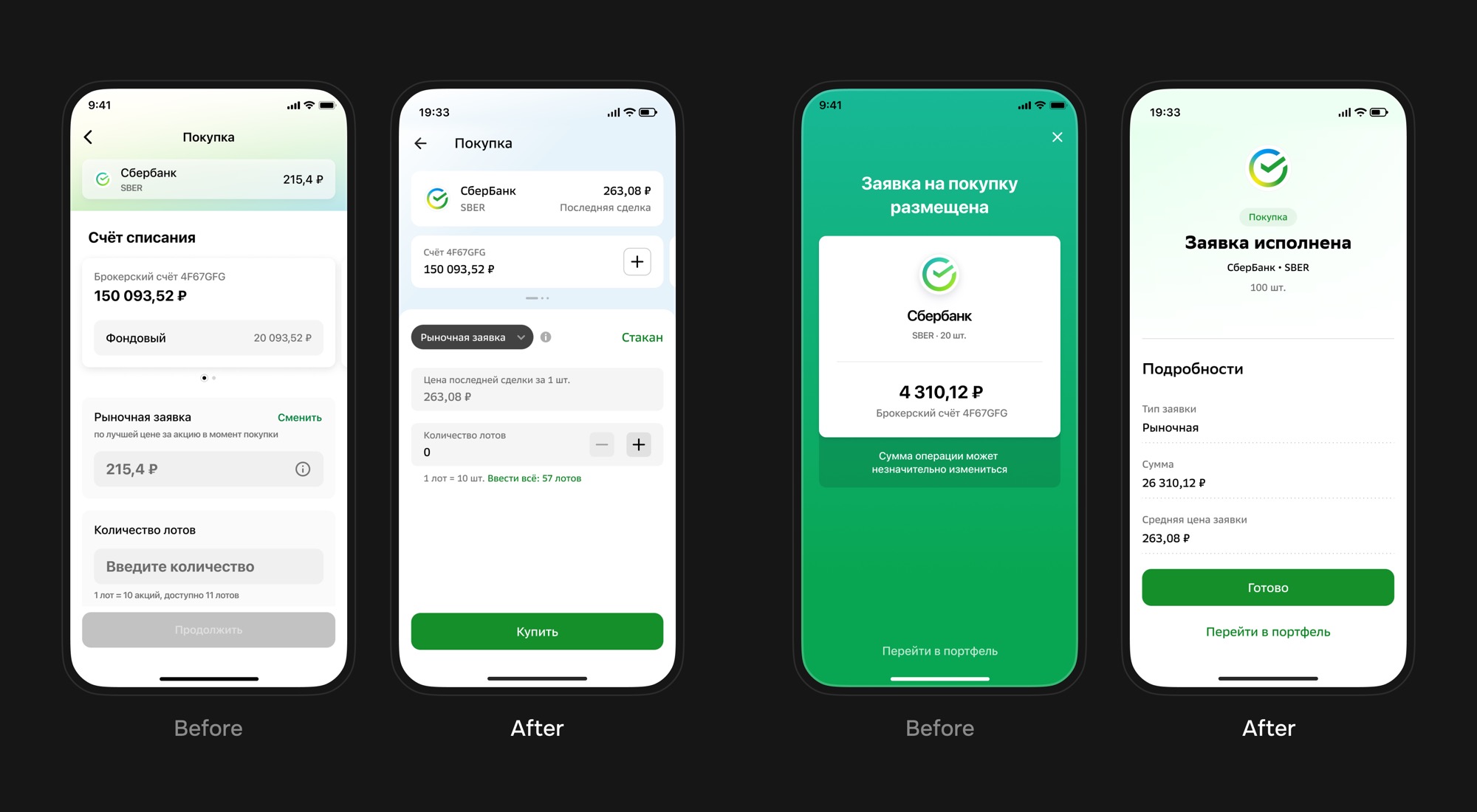
In 2021, SberInvestor already supported basic buying and selling, but its order flow was too simple for a serious brokerage product. The app only had market and limit orders, while users needed stop orders, order book entry, auctions, clear statuses, and proper handling of exchange restrictions.
The task was not to add more selector items, but to rebuild the order logic: which fields to show, how to explain order types, calculate the preliminary amount, warn about risks, and translate exchange rules into a mobile interface.
The hard part was not the visual redesign of the form. The hard part was helping users understand which order type they selected and what exactly would happen after tapping Buy or Sell.
Initial Task
I had a large set of technical analytics: exchange restrictions, trigger scenarios, statuses, errors, instrument rules, and calculation logic. The task was to design a reliable flow around exchange conditions, not just refresh the form.
I researched strong investment apps of that period: Tinkoff Investments, BCS Investments, Alfa Investments, and other brokerage products. I looked at how they separated order types, explained stop conditions, exposed the order book, designed statuses, and avoided overloading users at the moment of trading.
Technical Frame
For the user, the broker was the SberInvestor app, while MOEX and SPB Exchange were the execution venues. The interface depended on quotes, last trade price, order book data, lot size, balance, position, commission, accrued coupon interest for bonds, trading session state, and exchange response.
Market data came from the brokerage backend layer. The interface should not look like a set of API responses: it had to explain why a price was unavailable, why an order could not be placed now, what would happen after a trigger, and why the final price could differ from expectations.
Order Architecture
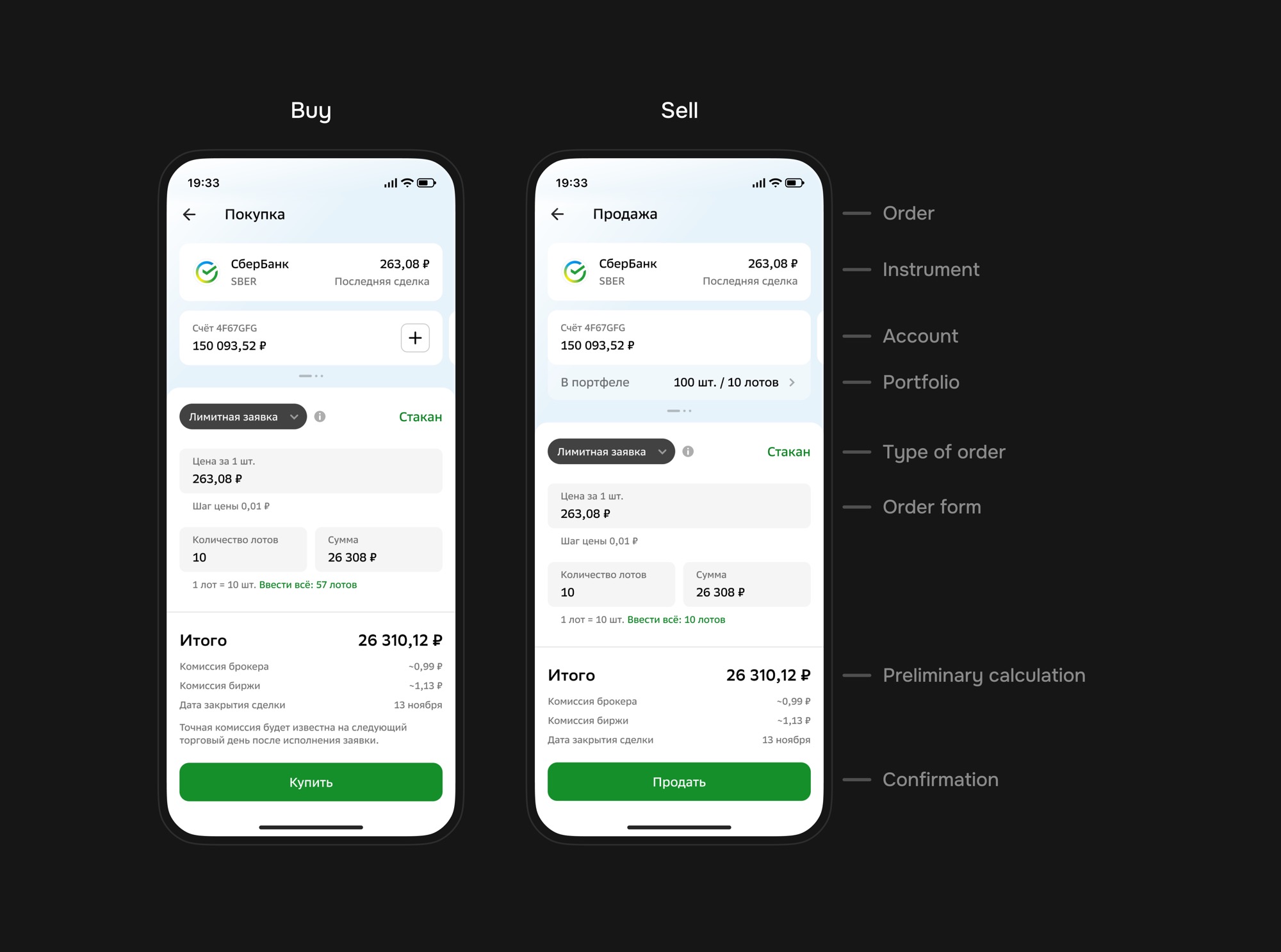
I defined a unified structure for buy and sell flows: side, instrument, account, position, order type, form fields, preliminary calculation, and confirmation. Dependent fields were placed close together: lot quantity and amount, stop price and percentage change, price and display mode for bonds.
Order Types
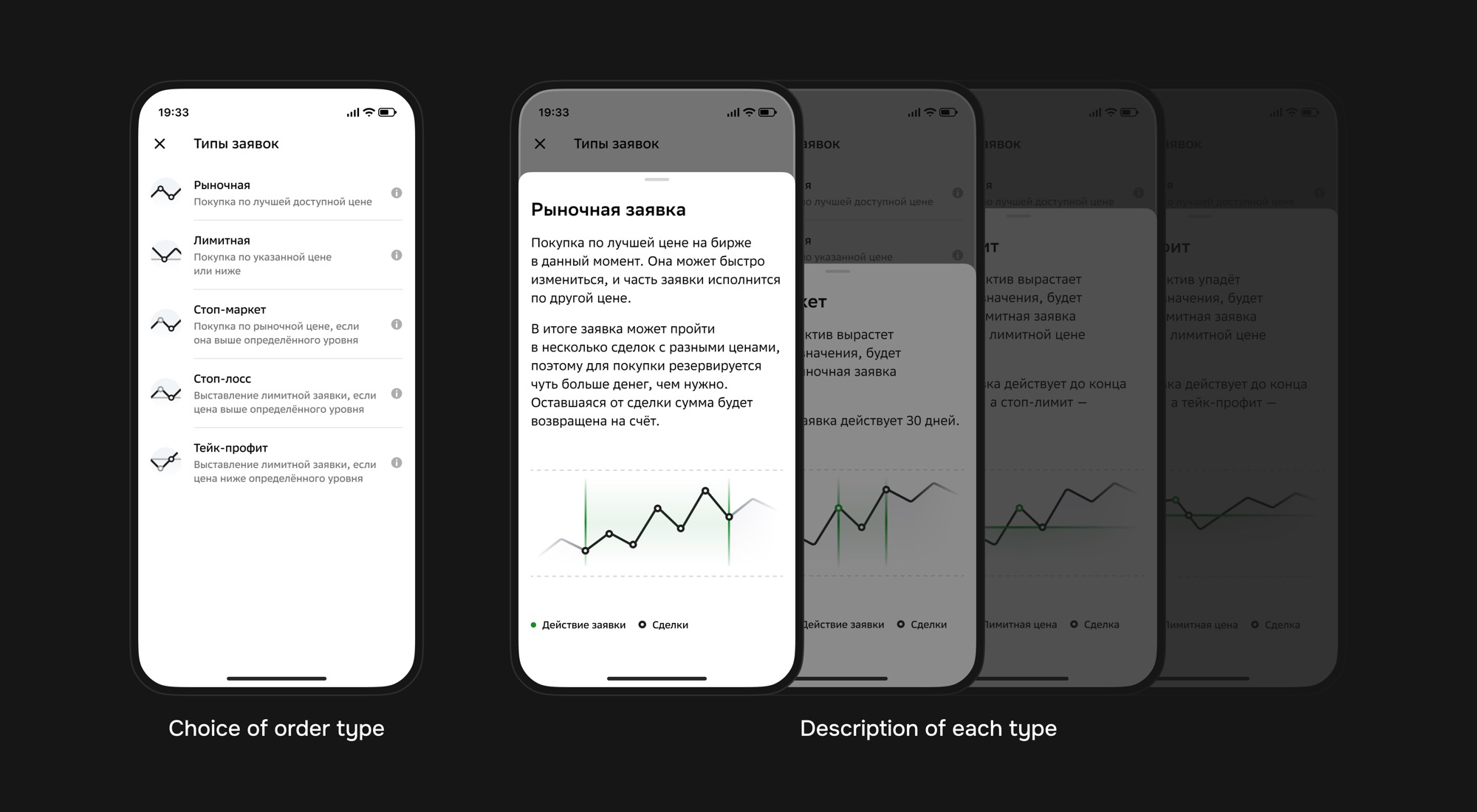
The main change was a complete order type system. Instead of two basic scenarios, the app had to explain the difference between market, limit, stop‑market, stop‑loss, and take‑profit orders, while connecting some scenarios to the order book and auction states.
Order type selection received a dedicated explanation screen. Users could understand whether the order executes immediately, waits for a price, becomes a limit order after a trigger, and how one stop scenario differs from another.
Execution Matrix
Technically, stop orders did not live only in the interface. The backend monitored quotes, checked the condition, and placed the required exchange order after the trigger. The design had to separate the condition, the post‑trigger order, and the execution risk.
| Scenario | What backend checks | What gets placed | Key user risk |
|---|---|---|---|
| Market order | Instrument availability, balance, lot size, quotes, and trading session state. | A market order immediately after confirmation. | Final price may differ from the last trade because of order book depth and liquidity. |
| Limit order | Price, tick size, lots, balance, commission, and trading session state. | A limit order at the specified price or better. | If the order was not executed during the day, it expired. |
| Order book | Selected price level, order book availability, lots, and instrument restrictions. | A limit order with the price selected from the order book. | The selected order book level could change before confirmation. |
| Stop‑market | Quotes and whether the stop price has been reached. | A market order after the trigger. | With low liquidity or a sharp market move, execution could happen at an unexpected price. |
| Stop‑loss | Quotes, stop price trigger, and limit order parameters after the condition. | A limit order after the trigger. | The trigger could fire, but the limit order might not execute and expire at the end of the day. |
| Take‑profit | Quotes and whether the target price has been reached. | A limit order after the trigger. | The price could touch the trigger and move away, leaving the limit order unfilled. |
| Auctions | Trading mode, indicative price, and rules of the specific auction. | An order according to the current trading mode rules. | The user could expect regular execution while the trade depended on auction mode. |
The most dangerous points were not in form filling, but in expectations. Stop‑market became a market order after the trigger, so with low liquidity or sharp movement, the final price could surprise the user. Stop‑loss and take‑profit placed a limit order, but it could remain unfilled and expire at the end of the trading day.
So the interface must explain not only when the condition triggers, but also what gets placed after it. The user sees SberInvestor, not the internal chain of quotes, backend checks, trading modes, and exchange responses.
Limit Order
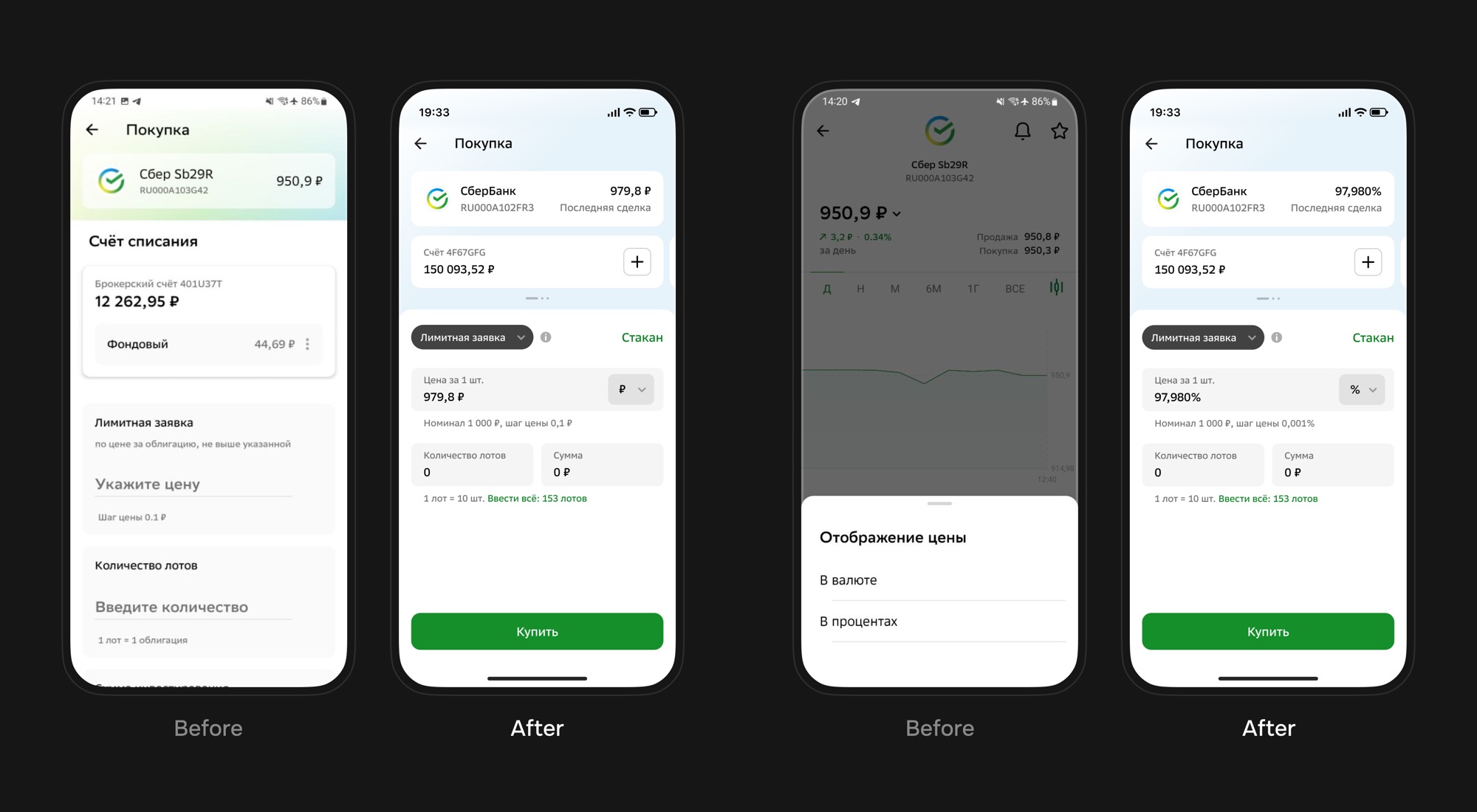
A limit order buys or sells at a specified price or better. It gives price control but does not guarantee execution. Bonds added nuance: price could be shown as a percentage of par value or in rubles, while the calculation had to show accrued coupon interest, commission, and settlement details.
Order Book
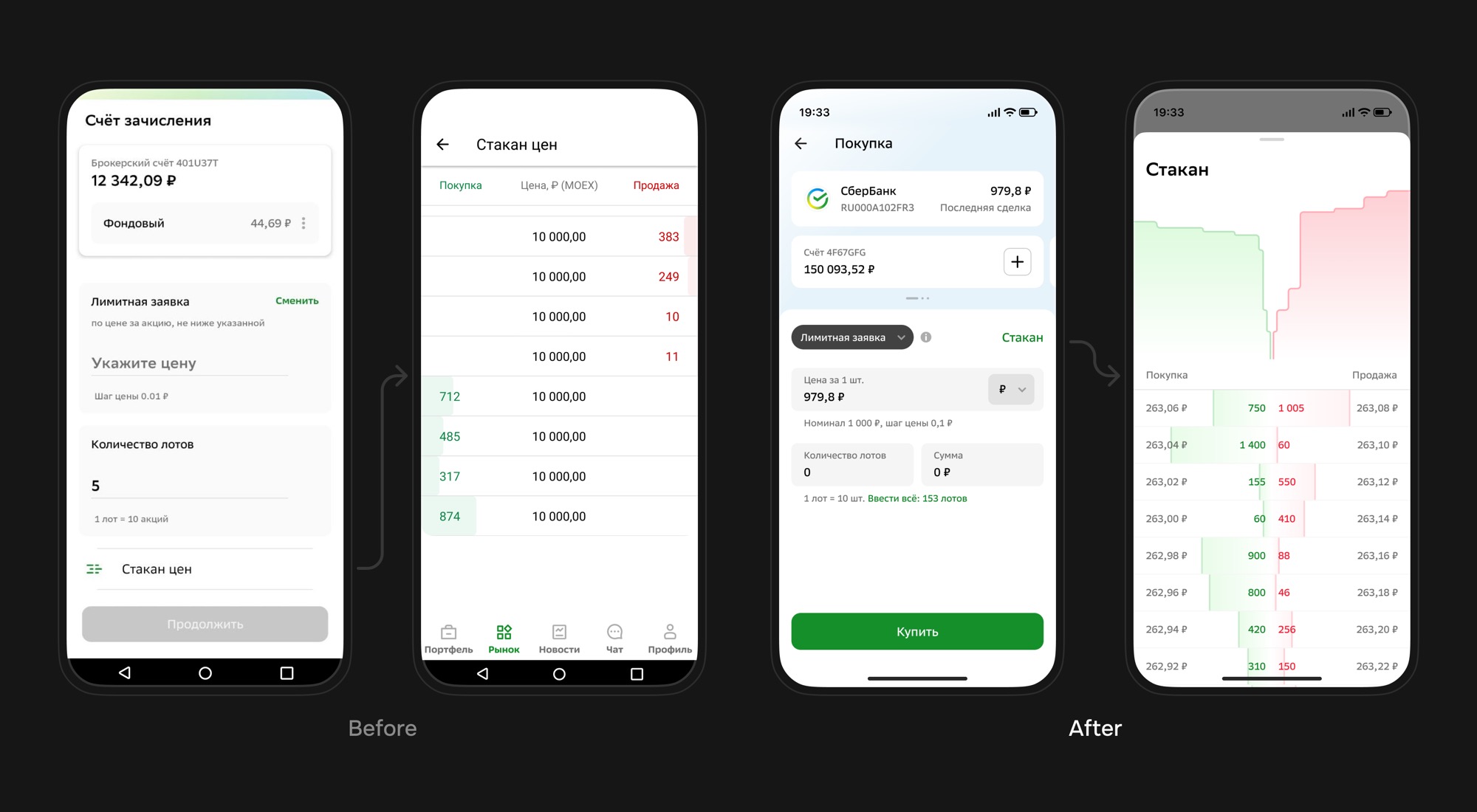
The order book allowed users to place an order through market depth. For a buy order, the user selected a price from sell offers; for a sell order, from buy bids. In practice, it was a fast entry into a limit order with a prefilled price.
Market Order
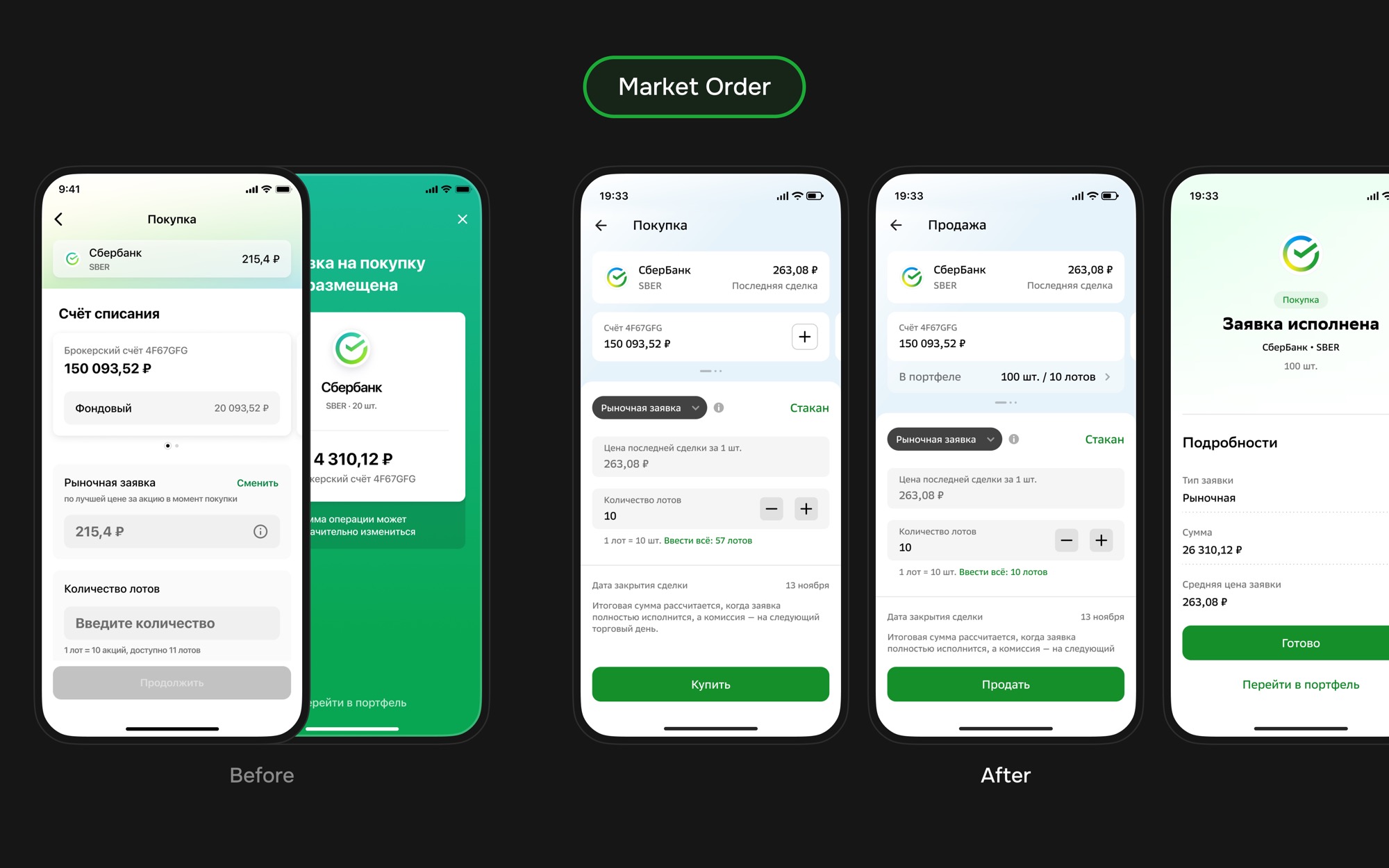
A market order executes at the best available price. It is simpler: no price input is needed, only lot quantity. But the interface must explain the risk: the final price may differ from the last trade, especially with low liquidity or fast market movement.
Stop‑Market Order
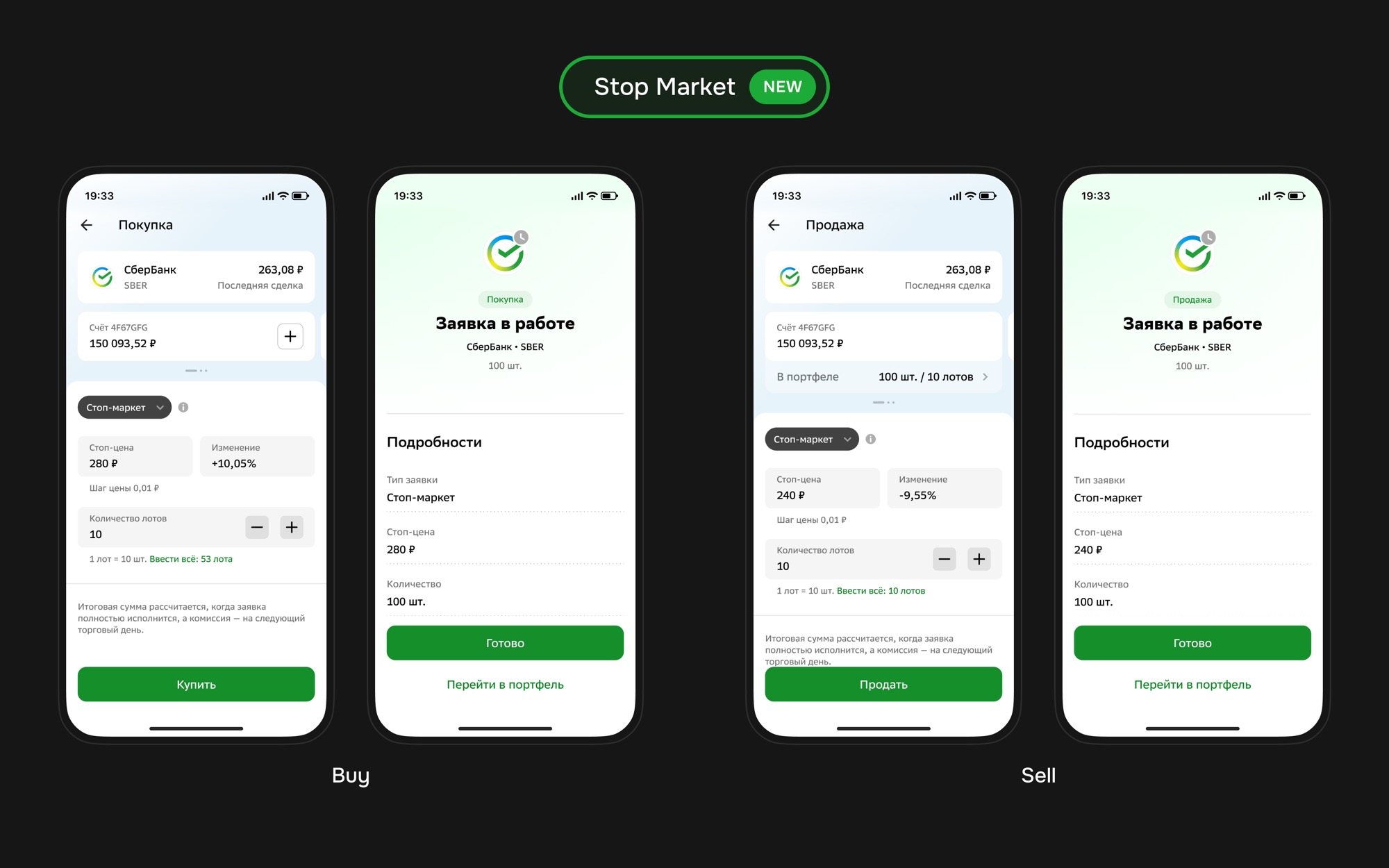
A stop‑market order is conditional: when the price reaches a specified level, the system sends a market order. For buying, it can be entry on upward movement; for selling, a protective exit on downward movement. Unlike stop‑loss, there is no execution price limit after the trigger.
Stop‑Loss Order
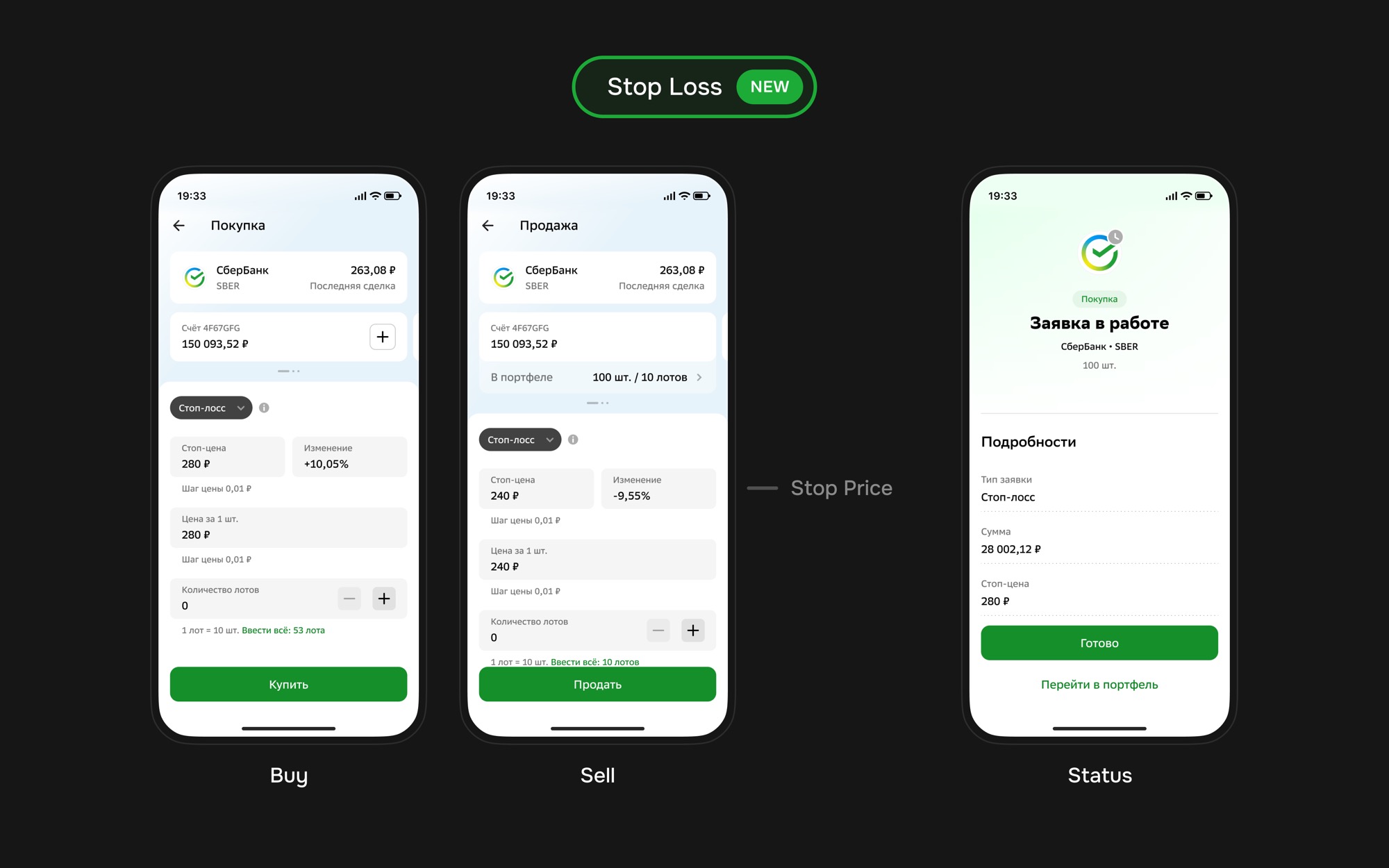
A stop‑loss protects a position from unfavorable price movement. The user sets a stop price, and once it is reached, a limit order is placed. The key UX nuance: trigger condition and limit order price are different entities, so both must be visible.
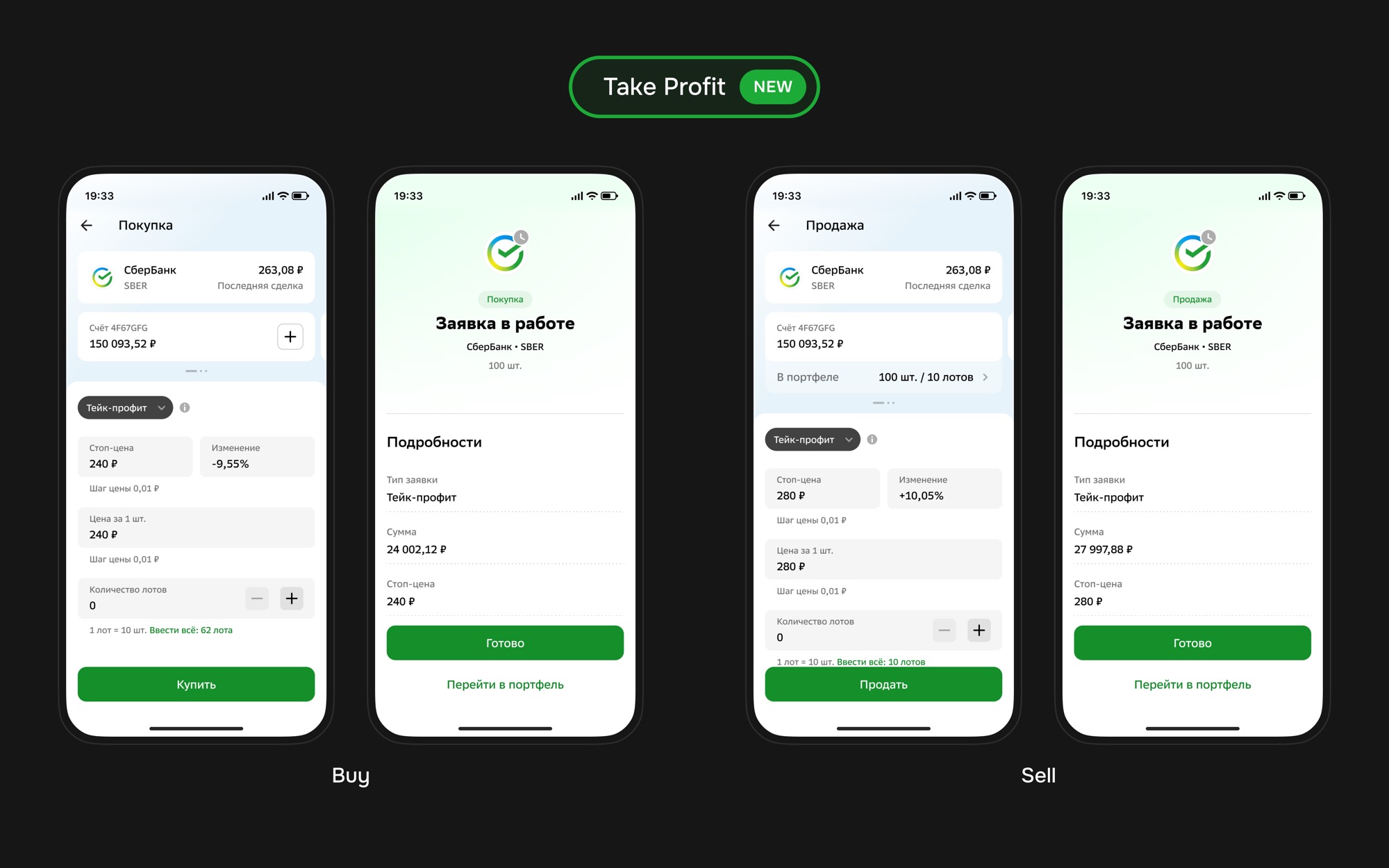
Take‑Profit Order
A take‑profit order locks in profit when the price reaches a favorable level. For selling, the price rises to the target and a limit sell order is placed. For buying, the logic is reversed. The difference from stop‑loss is motivation: taking profit or entering at a better price, not limiting loss.
Exchange States
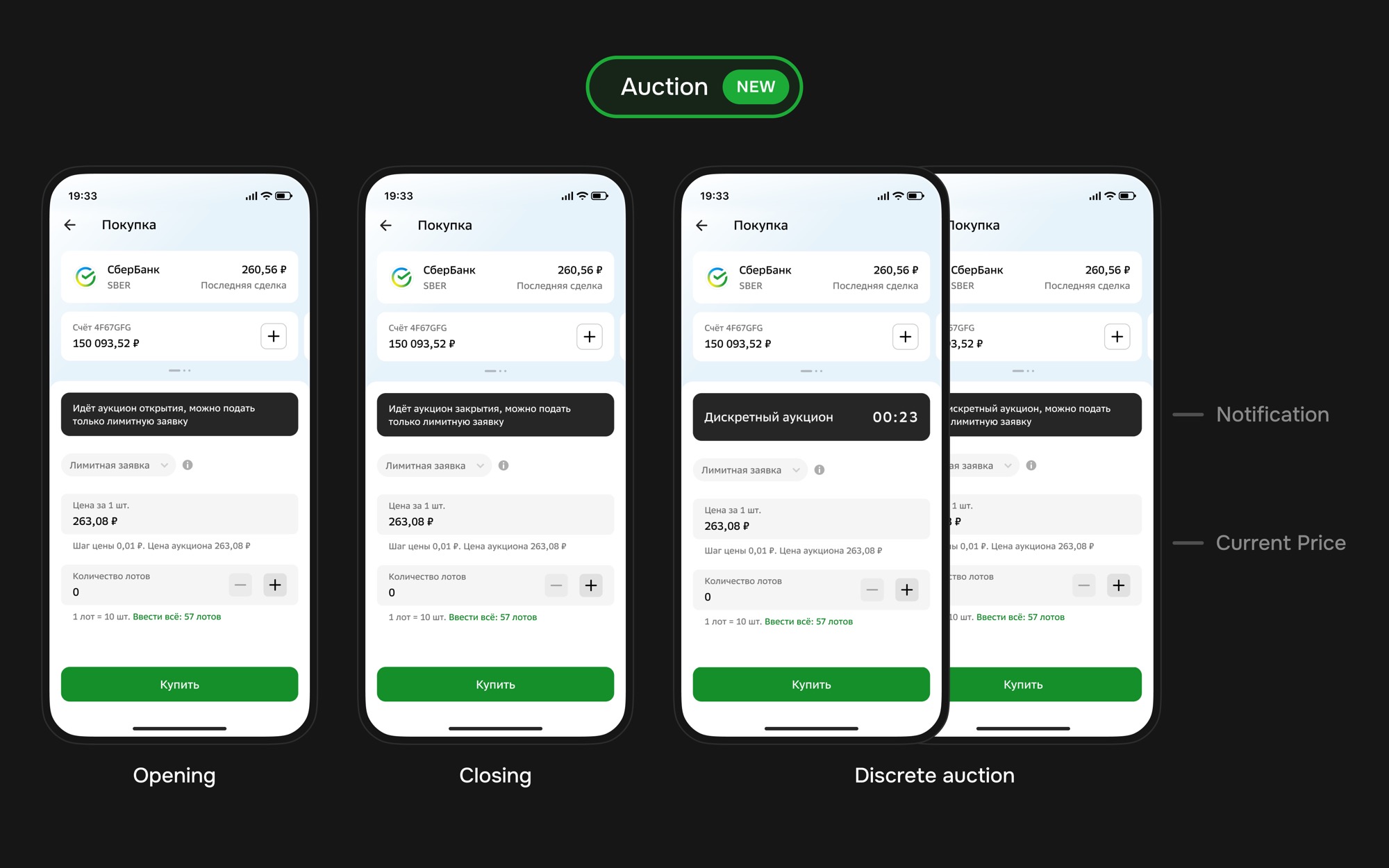
Auctions were a separate scenario: opening, closing, and discrete auctions. In these moments, regular last‑trade and immediate execution logic is not enough: the interface must warn about the trading mode and show the current or indicative auction price.
Statuses & Errors
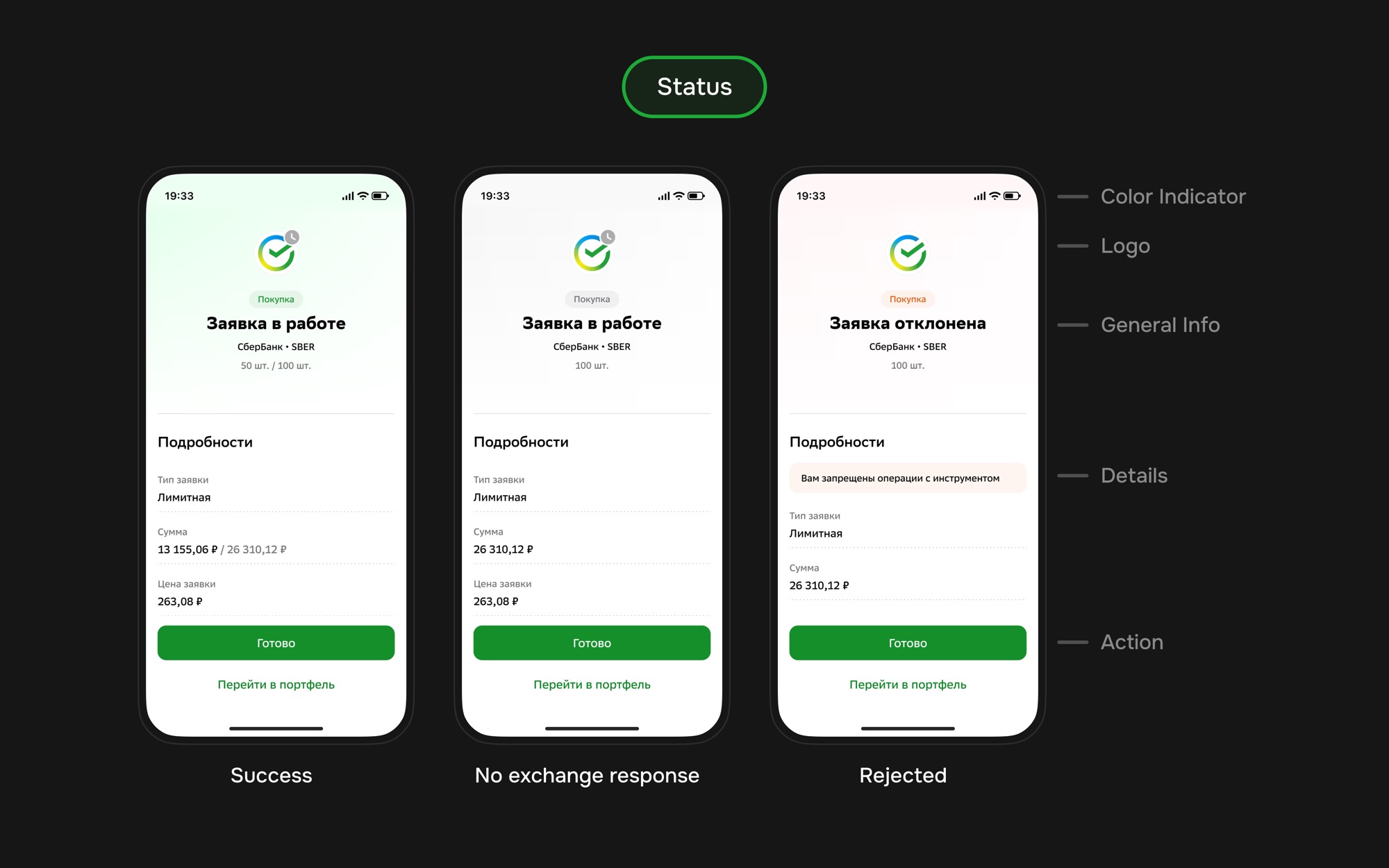
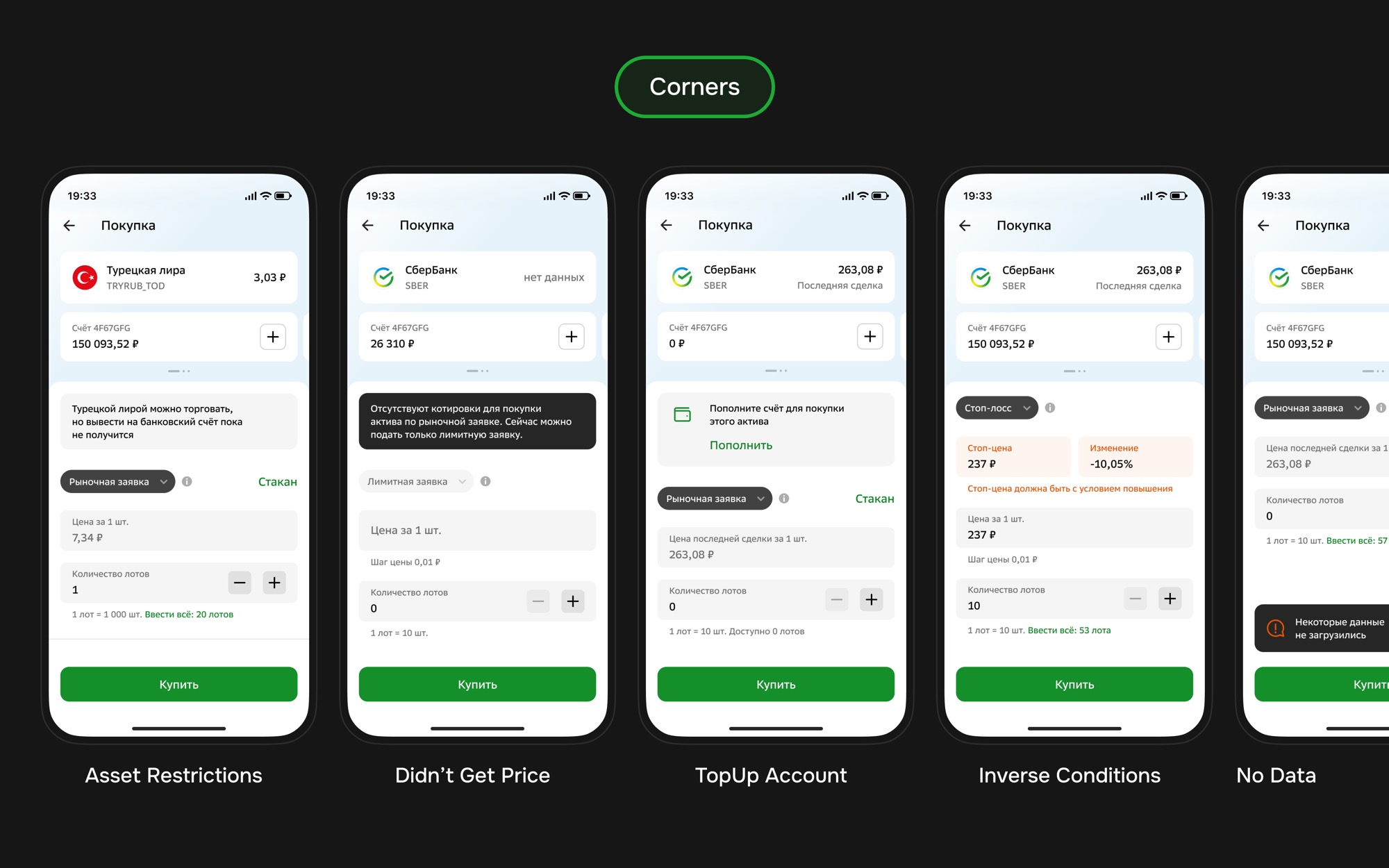
After submitting an order, the user must quickly understand the result: accepted, no exchange response, rejected, or failed data loading. The status screen combined a color indicator, instrument, side, ticker, quantity, details, error reason, and primary action.
Outcome
The outcome was a new order‑entry framework that expanded the product from basic buy/sell flows to a full set of exchange scenarios: limit, market, and conditional orders, order book entry, auctions, statuses, and errors.
The main value of the redesign was reducing ambiguity. Users received a clearer form, while the team received a scalable structure for adding new order types and exchange conditions without redesigning the entire scenario.